If you are searching for how to download a server pack from Modrinth, start on the modpack's Versions tab—not by renaming the first file you receive. Choose the release that matches your Minecraft version and loader, then look for a file labeled Server Pack.zip, server.mrpack, or similar. If no separate server file exists, use a server-aware installer or host import workflow instead of treating the client pack as a ready-to-upload server folder.
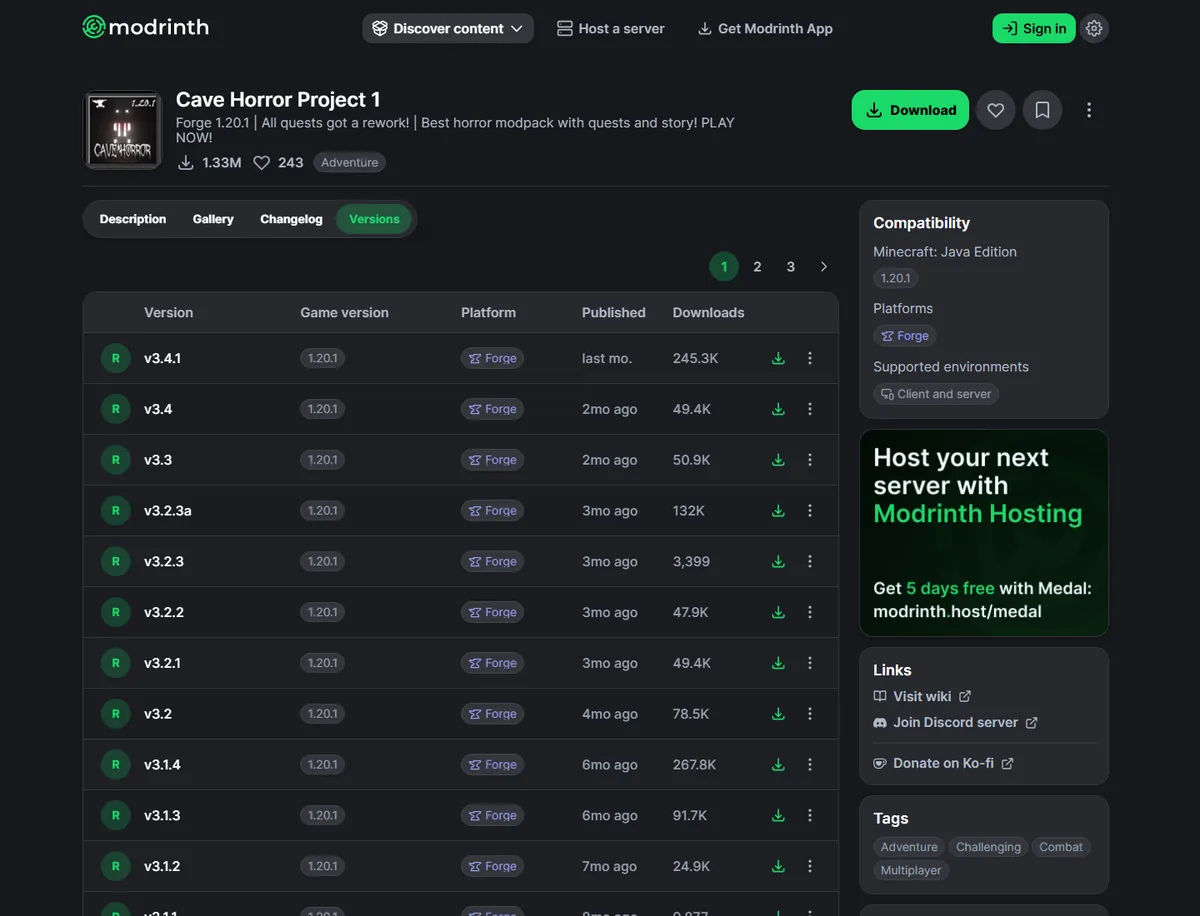
How to download the correct Modrinth server pack
- Open the official Modrinth modpack project. Avoid third-party reuploads when the creator's project page is available.
- Select the Versions tab. Do not rely only on the large project-level Download button, which may select the newest client-oriented release automatically.
- Match the server's Minecraft version and loader. A Forge server cannot use a Fabric build, and a 1.20.1 pack should not be mixed with a 1.21 server.
- Open the exact version page. Check whether the supported environment says client and server, then read the changelog for server notes or required Java changes.
- Inspect the available filename. Prefer an explicitly labeled server file when one is offered. Keep the original extension instead of renaming it.
- Verify the archive before deployment. Confirm the loader, scripts, configs, licenses, and expected server files, then test in a clean folder before replacing a live world.
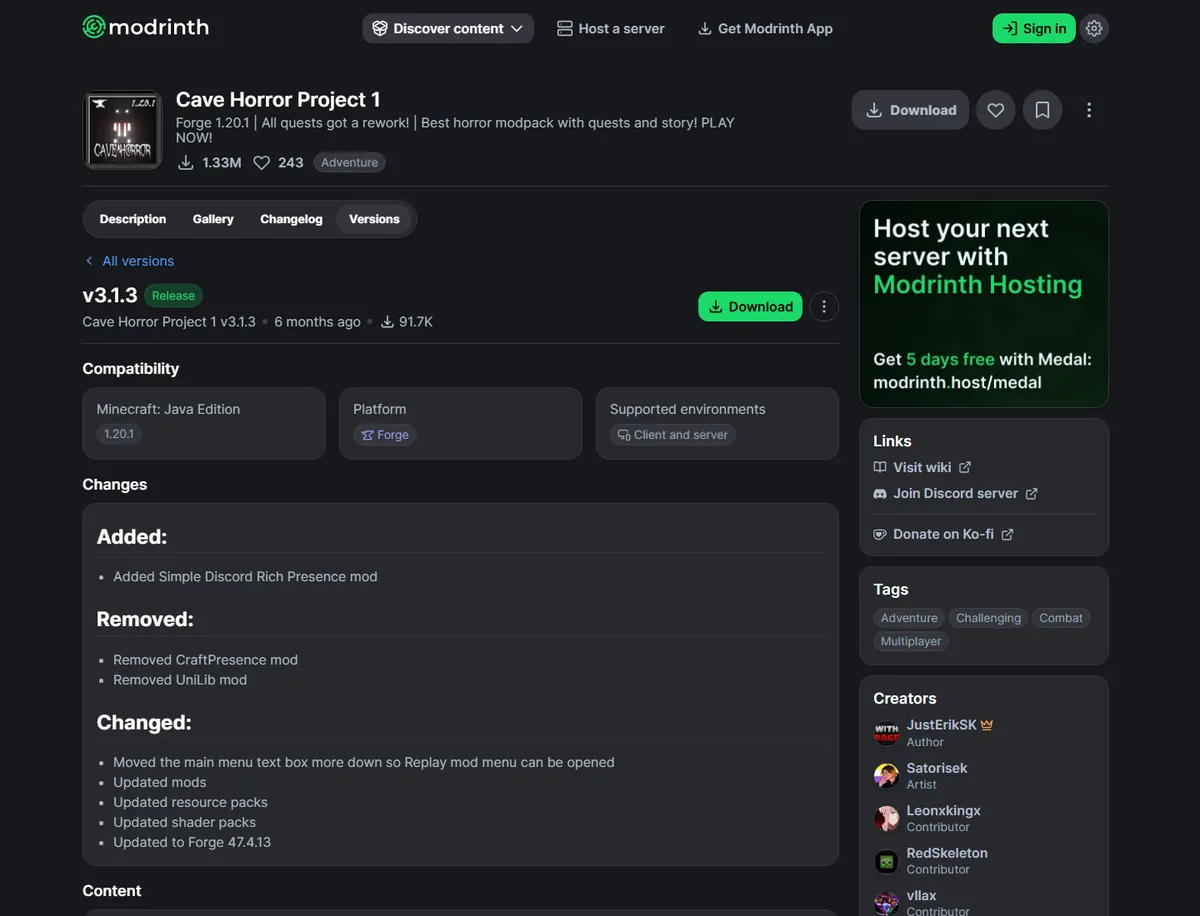
What each Modrinth download type means
| File you see | Likely meaning | Best next step |
|---|---|---|
*Server Pack.zip | A creator-prepared server archive that may include configs, scripts, libraries, and startup files. | Read the creator's instructions, extract to a clean server folder, then run the documented startup process. |
*server.mrpack | A server-focused Modrinth manifest package. | Import it with a tool or host that supports MRPACK/server pack installation; inspect the manifest before manual use. |
*.mrpack only | The standard manifest-based pack; it may support servers but is not a complete traditional ZIP. | Use Modrinth-aware hosting, a compatible installer, or the careful workflow in the server installation guide. |
| Extra ZIP with an unrelated name | Could be signatures, optional resources, patches, or documentation rather than a server pack. | Read the version notes and filename; do not assume every secondary ZIP is server-ready. |
Real Modrinth server-file examples
Official Modrinth API and project data checked on July 16, 2026 show several valid publishing patterns. These are examples from the cited versions, not claims about each project's newest release:
- Cave Horror Project 1 v3.1.3: a primary
.mrpackplus a separateServer Pack.zip. - Create+ 5.2.1b: a normal
.mrpackplus a server-specific(Server Pack).mrpack. - Zombie Invade 100 Days 2.3: a normal pack plus a separately labeled
[server].mrpack.
The examples prove why “download the ZIP” is not a universal instruction. Modrinth creators can publish a dedicated ZIP, a dedicated MRPACK, one shared MRPACK, or extra files that are not server packages.
What to do when there is no separate server pack
First, check the project's description, wiki, version changelog, and supported environment. If the project supports servers but offers only one MRPACK, choose one of these paths:
- Use a host with Modrinth import support. This is usually the simplest route because the host resolves the manifest and downloads referenced files.
- Use a server-aware MRPACK installer. The installer should respect the manifest's client/server environment rules and apply
server-overrides. - Prepare the pack manually only when necessary. Read how to install an MRPACK on a Minecraft server, inspect
modrinth.index.json, remove client-only files, and test the result away from the production world.
Our MRPACK Reader can show dependencies, paths, download URLs, and environment flags. The MRPACK to ZIP converter can make inspection easier, but conversion does not automatically certify that every extracted file belongs on a server.
Checks before uploading the pack to a server
- Back up the existing world and configuration.
- Match Minecraft, Forge/Fabric/NeoForge/Quilt, and Java versions.
- Read the project's license and redistribution rules before moving or sharing files.
- Confirm that required libraries and installer-generated files exist.
- Apply
server-overridesafter normal overrides when the manifest includes both. - Remove client-only rendering, menu, shader, and UI mods when environment metadata or crash logs identify them.
- Run a clean startup test and accept the EULA before migrating the real world.
FAQ
Where is the server pack on Modrinth?
Open the modpack's Versions tab, choose the exact game version and loader, and inspect that version's downloads. Look for names such as Server Pack.zip, server.mrpack, or (Server Pack).mrpack.
Does every Modrinth modpack have a server pack?
No. Some creators upload a separate server file, some publish one MRPACK for a server-aware installer, and some modpacks are client-only. Check the supported environment and project documentation.
Why did Modrinth download an MRPACK instead of a ZIP?
MRPACK is Modrinth's manifest-based format. The archive contains metadata and overrides while many mod files are fetched from the URLs listed in modrinth.index.json. Read the manifest field guide before treating it like a complete server folder.
Can I upload a normal MRPACK directly to a server host?
Only if the host explicitly supports Modrinth or MRPACK import. If it accepts only ZIP uploads, use a creator-provided server ZIP or prepare the pack with a compatible installer and verify it first.
Can I rename an MRPACK file to ZIP?
You can inspect the archive structure with ZIP software, but renaming does not download referenced mods or turn the result into a complete server pack. Use the Modrinth modpack to ZIP guide for the correct conversion limits.
Sources and verification
- Official Cave Horror Project 1 Versions page for the version-list workflow and compatibility example.
- Official Cave Horror Project 1 v3.1.3 version page for the cited server ZIP example.
- Official Create+ 5.2.1b version page for the server MRPACK example.
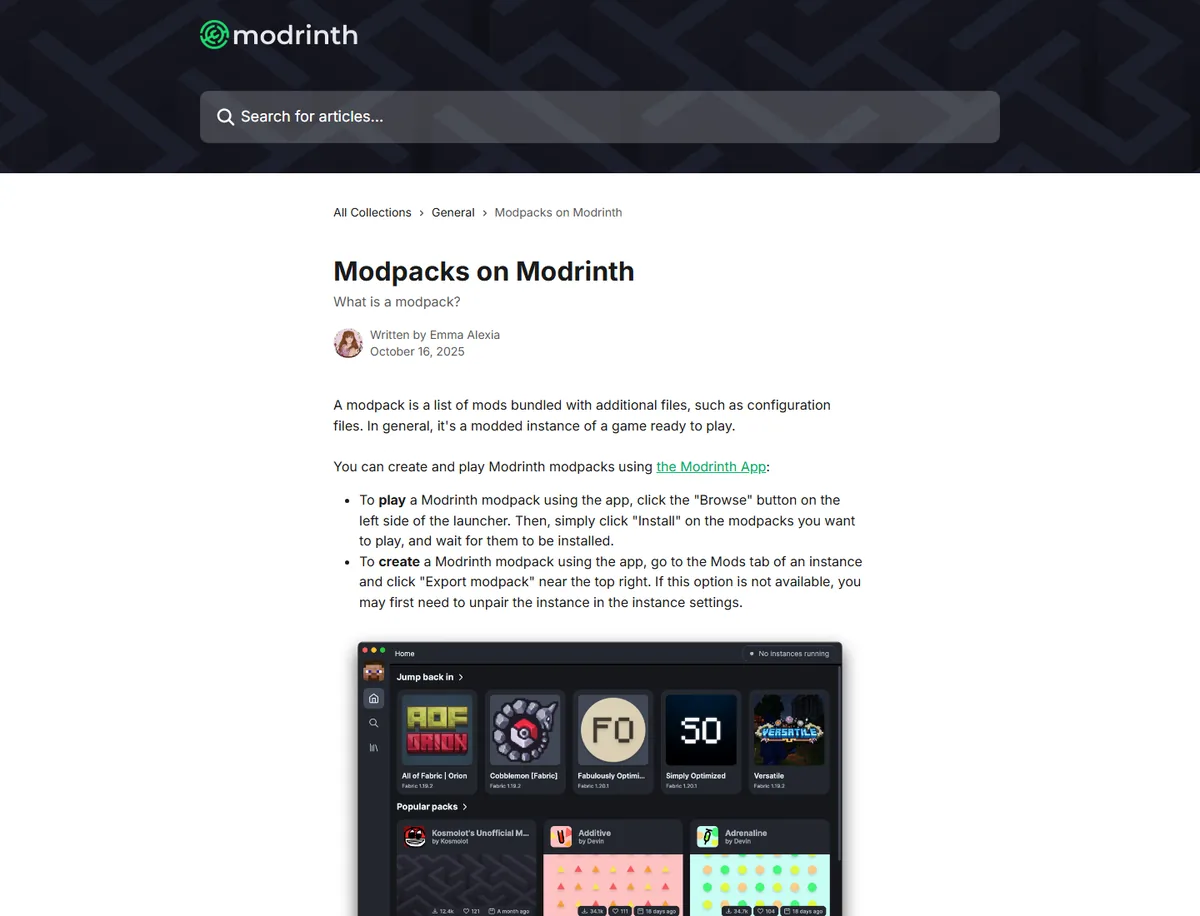
- Modrinth support: Modpacks on Modrinth for first-party modpack context and app workflows.
- Modrinth support: MRPACK format for manifest and override behavior.
Final takeaway
Download a Modrinth server pack by selecting the correct version first, then verifying the actual file and environment. Use a clearly labeled server ZIP or server MRPACK when available. When it is not, rely on a Modrinth-aware host or installer and inspect the manifest instead of assuming the client download is a ready-made server folder.
Need to inspect the downloaded MRPACK?
Use the browser-based reader to check the pack's loader, Minecraft version, referenced files, and client/server environment rules before deployment.
Open MRPACK Reader