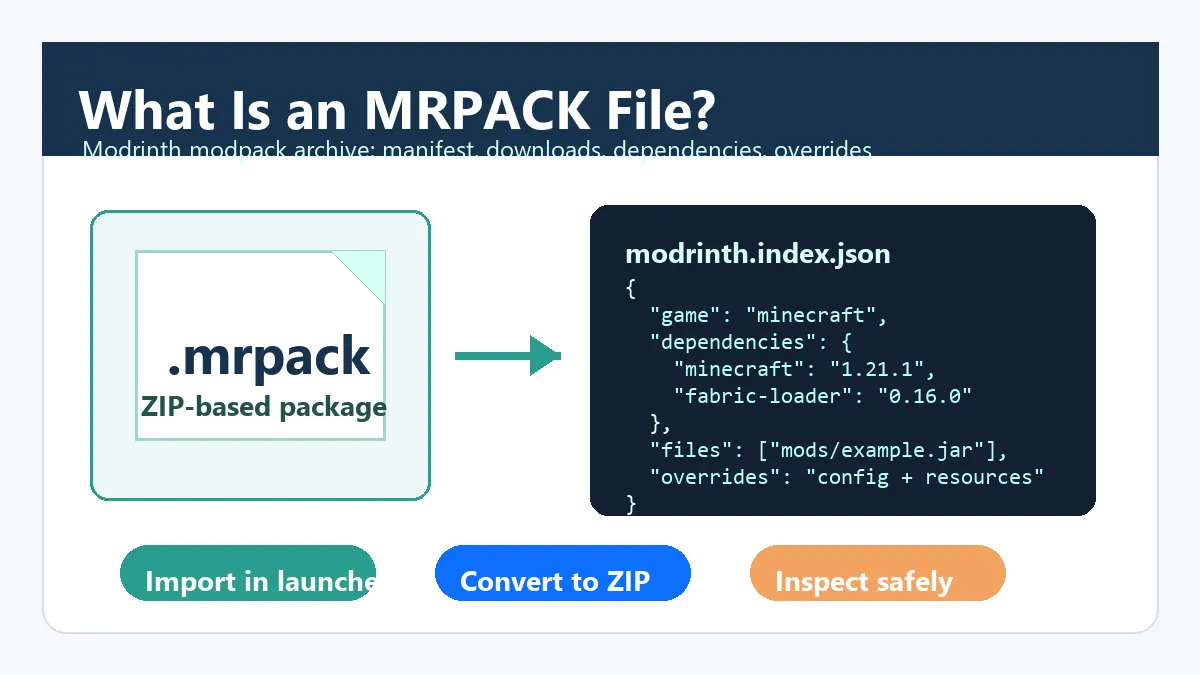
An MRPACK file is a Modrinth modpack package. It is not a single Minecraft mod, and it is not something you drop directly into the mods folder. The file is a ZIP-based archive with the .mrpack extension, a root manifest named modrinth.index.json, and optional override folders that tell a compatible launcher how to build the full Minecraft instance.
The shortest practical answer: open an MRPACK file with a launcher that supports Modrinth packs, such as Modrinth App or Prism Launcher. If you need to inspect the manifest first, use the MRPACK Reader. If your launcher only understands normal ZIP folders, use an MRPACK to ZIP converter and inspect the result before copying anything into Minecraft.
What does an MRPACK file contain?
Official Modrinth documentation describes the format as a ZIP-based modpack archive stored with the .mrpack extension. The important file is modrinth.index.json, which sits at the root of the archive and describes the pack name, game, version, required Minecraft loader, files, hashes, download URLs, and environment rules. You can read the technical definition in Modrinth's MRPACK format documentation.
The archive may be tiny because many mod files are not stored inside it. Instead, the manifest lists where each file should be downloaded, what path it should land in, and which hash should match after download. That is why opening the archive like a normal ZIP sometimes feels incomplete: the visible contents are only part of the installation story.
| Part | What it does | Why users care |
|---|---|---|
modrinth.index.json |
Stores the pack manifest, dependencies, file list, hashes, and download URLs. | This is the map a launcher or converter reads before building the final instance. |
files entries |
Point to mod JAR paths such as mods/example.jar, with hashes and downloads. |
A pack can rely on remote downloads, so extraction alone may not reveal every mod file. |
dependencies |
Declare Minecraft and loader versions, such as Fabric, Forge, NeoForge, or Quilt. | Using the wrong loader or Minecraft version is a common reason a pack crashes. |
overrides |
Stores config, resource pack, shader, options, or other files copied into the instance. | Moving only mod JARs can miss settings the pack author expected. |
client-overrides and server-overrides |
Apply files only to client-side or server-side installs. | Server admins must avoid blindly copying client-only content into a dedicated server. |
How to open an MRPACK file
The safest way to open an MRPACK file is to import it as a modpack instance. Modrinth's own help center says Modrinth App is the preferred solution for Modrinth packs, and it also lists other tools for playing or creating Modrinth modpacks. Prism Launcher documents that its import flow can import modpacks from a ZIP or MRPACK file from a website or local filesystem. For a focused decision tree, read how to open MRPACK files safely before manually guessing where folders should go.
- Use Modrinth App for the native route. Install or import the pack as a complete instance, then let the app fetch files and apply dependencies.
- Use Prism Launcher when you prefer a third-party launcher. Choose the import option and select the
.mrpackfile or URL. - Use conversion when your target app cannot import MRPACK. Convert the pack to ZIP, inspect the output, and follow a manual install path only after confirming the loader and folders.
- Use a ZIP tool only for inspection. Renaming or opening the archive can help you read
modrinth.index.json, but it does not install missing downloads.
MRPACK file vs ZIP modpack
MRPACK and ZIP are related, but their job is different. A CurseForge-style export ZIP usually expects a manifest.json and an overrides folder. An MRPACK file expects a Modrinth manifest named modrinth.index.json. CurseForge support describes ZIP-based import/export flows for CurseForge profiles, but that does not make raw MRPACK files a native CurseForge import format.
This difference matters because users often search for "open mrpack file" after trying to drag the file into the wrong place. A normal Minecraft mods folder expects individual mod JAR files, not a whole modpack manifest. A launcher import flow expects the manifest. A converter expects the manifest and produces a ZIP-style output you can inspect.
Where should you put MRPACK files?
Do not put the raw .mrpack file in .minecraft/mods. That folder is for individual mod JAR files after a profile has the correct loader installed. Put the MRPACK file somewhere temporary, such as Downloads, then import it through a supported launcher. Once the launcher has created an instance, it will place files in the correct instance directory.
If you are doing a server setup or a manual install, convert the MRPACK first. Then inspect the ZIP output for mods, config, resourcepacks, shaderpacks, and any failed-download notes. Server operators should also look for client-only files, server overrides, Java requirements, and loader version mismatches before starting the server. For the full checklist, read how to install MRPACK on a server.
MRPACK file handling cheat sheet
Use this quick map when you know what you want to do with an MRPACK file but are unsure which folder, launcher, or conversion path fits.
| Question | Best answer | Why |
|---|---|---|
| How do I open an MRPACK file? | Import it with Modrinth App, Prism Launcher, or another launcher that supports Modrinth packs. | The launcher reads modrinth.index.json and downloads the referenced files. |
| Where do I put an MRPACK file? | Keep it in Downloads or another temporary folder, then import it through the launcher. | The raw file is not meant for .minecraft/mods. |
| How do I use MRPACK files without Modrinth App? | Use Prism Launcher if possible, or convert the MRPACK to ZIP and inspect the output before manual installation. | Manual workflows need correct loader, mod, config, and override placement. |
| How do I get JAR files from MRPACK? | Read the manifest and collect the files listed under paths such as mods/example.jar. |
Some JAR files may be referenced as downloads instead of bundled in the archive. |
Do not treat MRPACK as one mod JAR
An MRPACK is a pack definition, not a mod. If your real goal is to collect the individual JAR files, read the MRPACK to JAR guide. It explains why single-file conversion is usually the wrong mental model.
How to inspect modrinth.index.json
If you want to understand a pack before installing it, inspect the manifest. You do not need to edit it for normal use, but reading the important fields helps you avoid wrong-loader installs and incomplete manual copies.
{
  "formatVersion": 1,
  "game": "minecraft",
  "name": "Example Modpack",
  "files": [
    {
      "path": "mods/example.jar",
      "downloads": ["https://cdn.modrinth.com/data/..."],
      "hashes": { "sha1": "...", "sha512": "..." },
      "env": { "client": "required", "server": "unsupported" }
    }
  ],
  "dependencies": {
    "minecraft": "1.21.1",
    "fabric-loader": "0.16.0"
  }
}
Look for dependencies first, because Minecraft and loader versions define the instance you need. Then review files for paths and environment rules. A file marked unsupported on the server should not be copied into a dedicated server install. Finally, check override folders because they can include configuration that makes the pack behave as intended.
When to import, convert, or rebuild
| Goal | Best workflow | Reason |
|---|---|---|
| Play a Modrinth pack locally | Import the MRPACK in Modrinth App or Prism Launcher. | The launcher reads the manifest, downloads files, and creates the instance. |
| Use a launcher that only accepts ZIP-style folders | Convert MRPACK to ZIP, then inspect and install manually. | Conversion makes the pack easier to inspect outside the native Modrinth flow. |
| Prepare a dedicated server | Convert or use a server-aware MRPACK installer, then review environment rules. | Some client mods and overrides should not run on a server. |
| Create a new Modrinth pack from your own files | Use a pack management workflow that exports a valid MRPACK. | A normal ZIP needs a correct Modrinth manifest before it becomes a valid MRPACK. |
Common MRPACK errors and fixes
The launcher does not show the file
You may be in a ZIP-only or JAR-only picker. Use a Modrinth-compatible import screen, or choose a launcher that explicitly supports MRPACK. If you are using CurseForge, remember that its documented import flow is for profile ZIP files, not raw MRPACK files.
The import starts but fails
Check that the download is complete and not zero bytes. Then confirm that the pack still has a valid modrinth.index.json at the archive root. If remote files cannot download, try again on a stable network or convert the pack and review any failed-download list.
The pack launches but crashes
Match the Minecraft version, loader, and Java version expected by the pack. Do not mix Fabric, Forge, NeoForge, and Quilt profiles unless the pack author built that compatibility deliberately. Also make sure configs and overrides were copied, not just the JAR files.
The server crashes after manual install
Review environment rules and server overrides. Client-only mods, client-only configs, and shader or resource files can be harmless on a player instance but wrong for a dedicated server. When in doubt, start from a server-specific pack or a server-aware installer.
The MRPACK opens like a ZIP but looks incomplete
That can be normal. Many MRPACK files use the manifest to reference downloads instead of storing every mod JAR directly. Inspect modrinth.index.json before assuming files are missing.
FAQ
What is an MRPACK file used for?
It is used to share and install Modrinth modpacks. The file tells a compatible launcher which Minecraft version, loader, mod files, downloads, and overrides belong to the pack.
Is an MRPACK file safe?
Treat it like any modpack from the internet: only use trusted sources, inspect unusual packs, and avoid running files from unknown senders. The format includes hashes and defined paths, but source trust still matters.
Can I rename .mrpack to .zip?
You can sometimes rename or open it as ZIP for inspection because the storage format is ZIP-based. That does not make it a complete manual install. The manifest may still reference downloads that are not inside the archive.
Can CurseForge open MRPACK files?
CurseForge's documented import workflow is built around exported profile ZIP files. If you need to use CurseForge with a Modrinth pack, convert and inspect the MRPACK first, then decide whether a manual ZIP workflow is appropriate.
What program opens MRPACK files?
Modrinth App and Prism Launcher are common choices. MultiMC, ATLauncher, developer libraries, and command-line tools may also support the format depending on your workflow.
Can I use MRPACK without internet?
Only if all referenced files have already been downloaded or bundled into a usable output. Many MRPACK files store download references, so first-time installation usually needs network access.
Is MRPACK the same as MCPACK?
No. MRPACK is a Modrinth modpack format for Minecraft Java Edition modpacks. MCPACK is commonly associated with Bedrock resource or behavior packs, so MCPACK to ZIP searches have a different intent. For the direct compatibility decision, read Can You Use an MRPACK in Minecraft Bedrock?.
Can I edit modrinth.index.json by hand?
You can inspect it by hand, but editing it is risky unless you understand paths, hashes, downloads, dependencies, and environment rules. A pack management tool is safer for rebuilding or exporting packs.
Final takeaway
An MRPACK file is best understood as a smart modpack recipe. The archive gives a launcher or converter enough information to assemble the pack correctly, but it is not the same thing as a loose mods folder or a single mod JAR. Import it when your launcher supports the format. Convert it when you need a ZIP for inspection, manual installation, server preparation, or a launcher that does not understand MRPACK directly.
Need to inspect an MRPACK file?
Use the browser-based converter to turn a local .mrpack file into a ZIP you can inspect before manual installation.